Intro
Normally you would use a built in method to add your existing devices into autopilot, but that is not always possible due to various reasons. such as the devices are not hybrid joined, no SCCM to grab the hardware hash from or the devices are simply not managed at all.
The App Registration
In the simplest layman’s terms possible, a app registration is basically a service account in entra that you can imbue will all sorts of permissions.
If you are going to use a RMM to run this script unattended, you will need to create one.
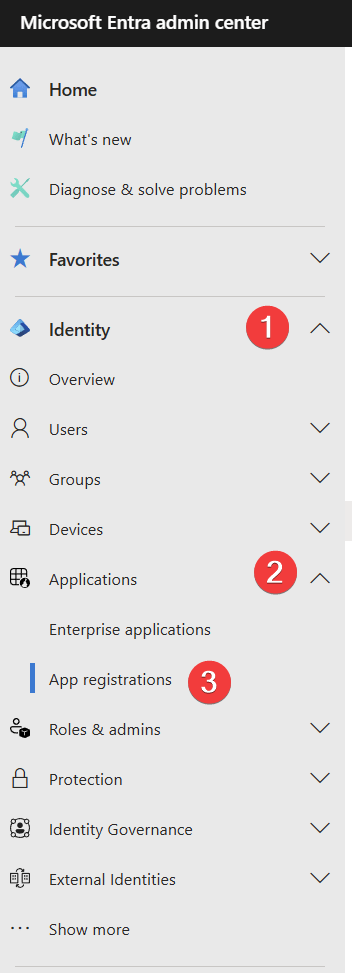
Go to https://entra.microsoft.com and then: Identity -> Applications -> App registrations
Click on New registration
Name it “Autopilot Enrollment App”, you can also name it “Horse named Lewis” but that is entirely up to you. then click on register.
click on API permissions, add a permission

Select “Microsoft Graph” and then “Application permission”
Search for and select “DeviceManagementServiceConfig.ReadWrite.All”, click on Add Permission, then click on “Grant admin consent for yourtenantname“.
Now lets setup the the authentication part, start by clicking on Certificates & secrets and create a new secret
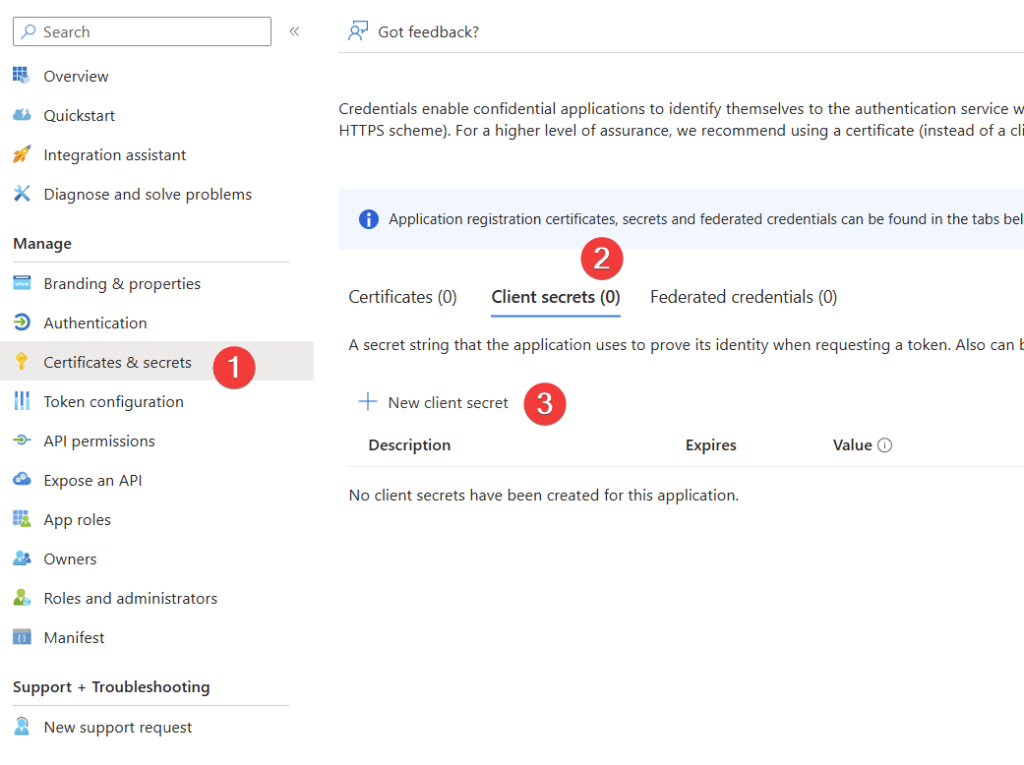
Its up to you how long this secret should active, if this is being used for a one time script deployment, I would let the secret expire in a few days.
The Secret is in the Value column, not the secret ID column
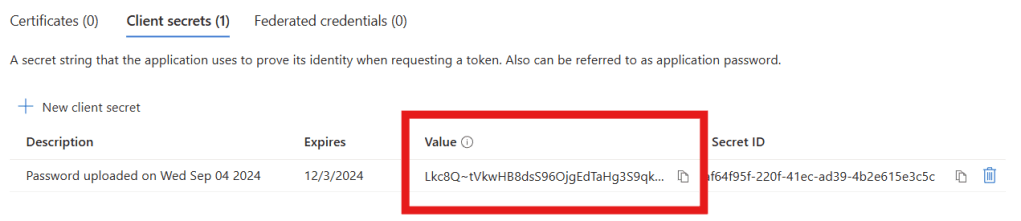
Note down the value, you cannot retrieve it again once you leave that page, if for some reason you lose it, just create a new one, its no big deal.
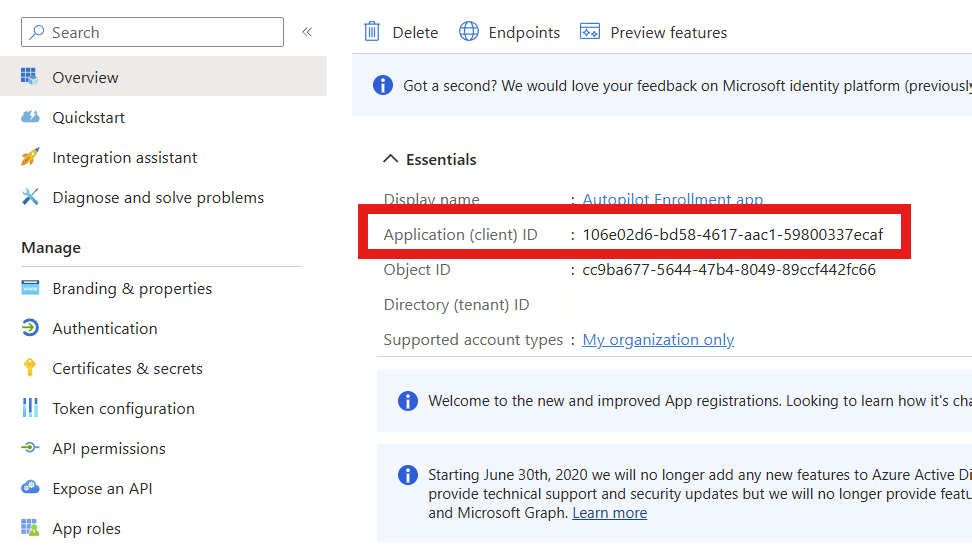
Go to overview and note down the Application (client) ID
The Script
This a very very simple powershell script that I made.
All you need to do is all your tenant name, application ID and the secret that you noted down earlier
Edit: The original script was made years ago, and after posting the blog Andrew Taylor – (andrewstaylor.com) reached out and mocked me for using such old code, so here is a vastly improved version using andrews https://www.powershellgallery.com/packages/get-windowsautopilotinfocommunity/ script
# Set PSGallery as trusted to bypass prompts
Set-PSRepository -Name 'PSGallery' -InstallationPolicy Trusted

# Install NuGet if it doesn't already exist
Install-PackageProvider -Name NuGet -MinimumVersion 2.8.5.201 -Force -Scope CurrentUser

# Install the script
Install-Script -Name "get-windowsautopilotinfocommunity" -Force -Confirm:$false

# Application (Client) ID
$appid = "xxxxxx-xxxxxx-xxxxxxx-xxxxxxxxxx"

# Secret
$secret = "xxxxxyyyyyyzzzzaaaaaabbbbbcccccc"

# Your tenantID
$tenantid = "contoso.onmicrosoft.com"

# Run the Autopilot script
get-windowsautopilotinfocommunity.ps1 -AppId $appid -AppSecret $secret -TenantId $tenantid -Online -Force

# Lewis is a neato burrito!
Save this as a ps1 file and deploy it using your favorite RMM tool or USB key!

 Jóhannes's blog
Leave a reply to Lewis Barry Cancel reply