Intro
I have deployed a whole lot of apps in my IT career, and occasionally i need to deal with weird nonsense from the vendor. Lets take a look at one recent example
The Problem
This is just another app, what could possibly go wrong?
After wrapping the app with IntuneWinAppUtil.exe
.\IntuneWinAppUtil.exe -c c:\temp\source\ -s c:temp\source\global-mapper-26_0-x64.msi -o .
and then when i created it as a win32 application in intune, I spot something odd.
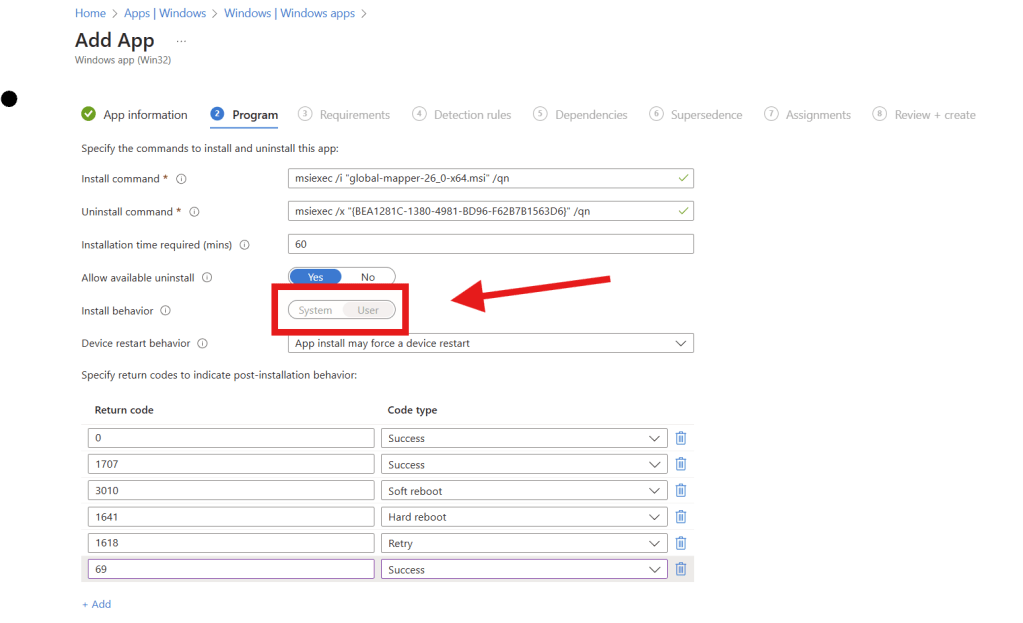
That doesn’t look right at all, not only is the Install behavior grayed out, but its also set to User. Since I know for a fact that this app requires elevation to install, this application deployment will never work.
Attempts to install this MSI file in different ways didn’t yield any good results either, it quickly became clear to me that the problem is with the MSI itself and not intune.
The Solution
What better way to examine a MSI file than with Master Packager? its free, actively developed and the devs hang out in winadmins discord!
First lets open the file and look at the properties table
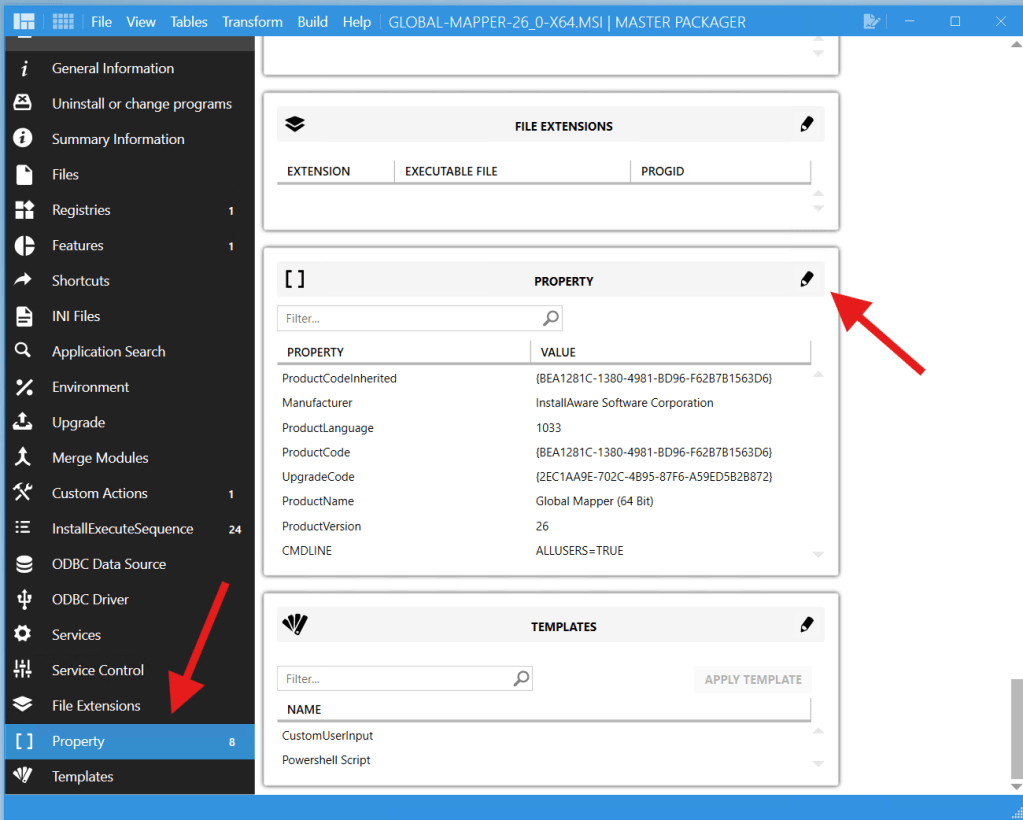
Now im no MSI expert but this didn’t look right to me, a quick search lead me to the msi documentation article about the allusers property. Which indicated that ALLUSERS should have an integer value of 1 or 0.
EDIT: this is also a fantastic resource on the subject Improve MSI reliability with these MSI properties
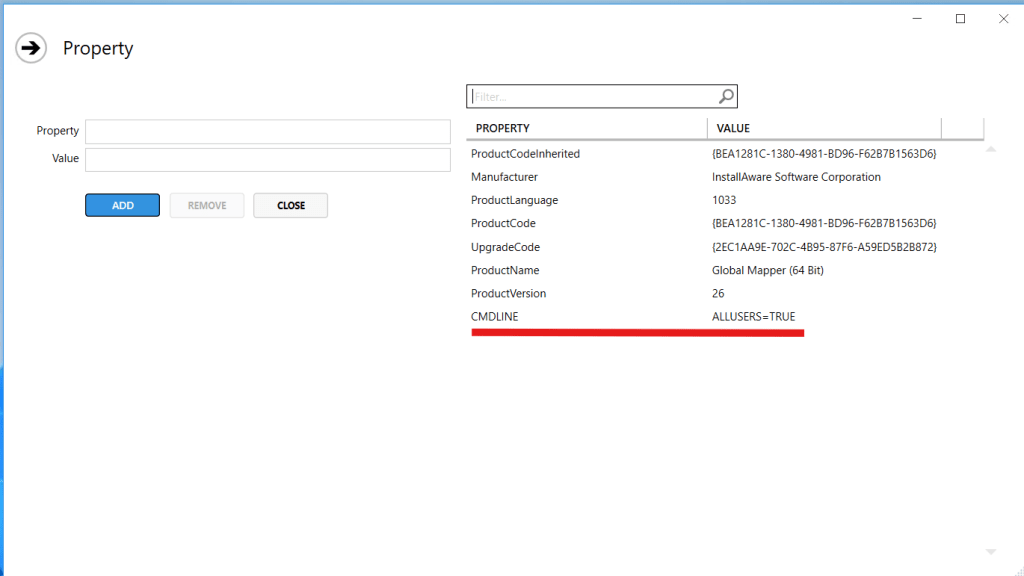
On the advice of Edijs Perkums in winadmins, I added a new row called ALLUSERS with the value of 1. but otherwise left the properties table alone.

Saved the new msi as global-mapper-26_0-x64-modified.msi, wrapped it and uploaded it to intune.
Hey would you look at that!
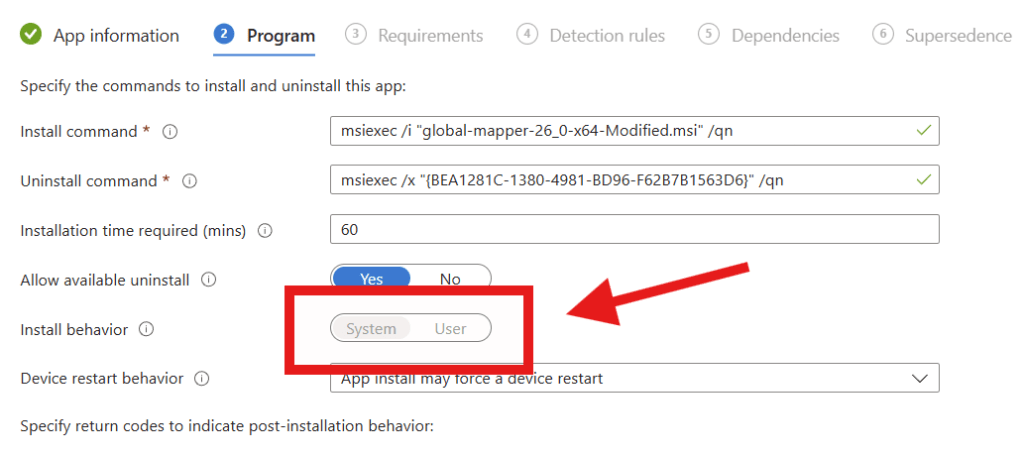
After testing the app deployment, it worked exactly as expected, case closed!
 Jóhannes's blog
Leave a comment